


Gluten Free Scanner
4.7113.00 Reviews
App Specs
- Version
- 3.1.2
- Updated On
- License
- Free
- Downloads
- 100,000+
- Developer
- Food Barcode Scanner Ltd
- Categories
- Food & Drink
- Platform
- Android, iOS
Screenshots
 Analysis by AppCompare
I find the most useful thing about Gluten Free Scanner is its narrow focus: it helps me make a quick first check on packaged food while I’m shopping. Instead of beginning with tiny print on the back of every packet, I can scan a barcode and use the result to decide what deserves a closer look. That saves time, especially when I’m comparing several similar products.
A quick check, not a substitute for judgement
The scanner is best understood as a shortcut through the first stage of choosing food, not as a reason to stop thinking about ingredients. A barcode result can help narrow down options, but I would still read the packaging when a product matters to my health, when the recipe may have changed, or when I’m shopping for someone with strict dietary needs. That two-step habit—scan, then verify the label when appropriate—makes the app more useful than treating any single result as the final word.
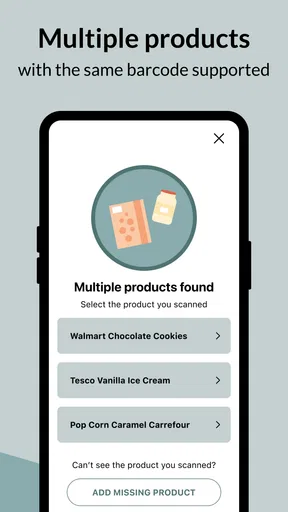
This distinction matters most with packaged goods that have several versions, seasonal packaging, or ingredient lists that are easy to overlook. I use the scan to orient myself, then check that the item in my hand is the same product the result refers to. If the barcode doesn’t return a useful match, I switch to reading the package rather than assuming the food is unsuitable or safe.
How I’d use it on an ordinary shop
Imagine I’m buying snacks for a family visit and need something suitable for a gluten-free guest. I can scan a few candidates in the aisle, set aside the ones that look promising, and inspect their labels before choosing. This is a calmer process than trying to remember every ingredient concern while comparing packets under time pressure. It also gives me a practical way to involve someone else in the decision without asking them to become an expert on every product category.
For a repeat purchase, I’d search by name while planning the list, then use the barcode in the shop to check the exact packet. Those two steps solve different problems: searching is convenient when I’m away from the product, while scanning helps identify what’s actually in front of me. If I find a product I buy regularly, saving it as a favorite can make it easier to return to later, though I’d still recheck the label if the packaging or ingredients have changed.
Where the approach has limits
A barcode-based check is naturally most helpful for packaged items with a readable code. It is less suited to loose produce, bakery-counter food, restaurant meals, or anything prepared in a setting where cross-contact is a concern. For those choices, I’d ask staff or the manufacturer directly and rely on clear allergen information; a scanning app cannot answer questions about how a meal was prepared.
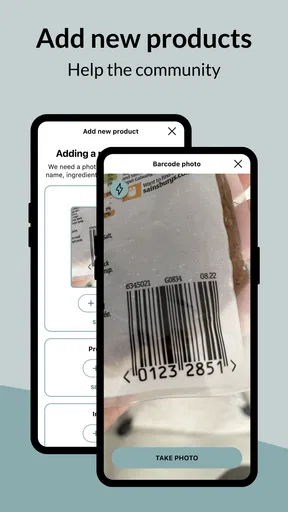
The database is another practical consideration. A product may not appear, or the information may not match a newly changed package. In that situation, searching by product name or checking the label is a sensible fallback. If I contribute a missing product, I’d take care to enter the details accurately, because a community contribution is only helpful when it reflects the item and packaging in hand.
Worth Reading Before You Choose

Flipboard Shows What News Apps Must Do Beyond the Feed

Switching to Android Auto Means Rethinking Your Driving Routine

Google Calendar Makes a Crowded Week Easier to Manage

Ludo King Makes the Most of the Minutes Between Plans

Baby Panda World Brings Quick Play to Modern Phones, but Its Game Library Feels Busy

ESPN’s Live Game View Makes Following Close Games Easier
I also wouldn’t use this as my only resource when shopping for someone newly diagnosed or highly sensitive. It can speed up routine decisions, but personal dietary guidance and careful label reading remain important. The app’s value is in reducing repetitive searching—not in removing the need to make a careful choice.
Scanning Made Simple
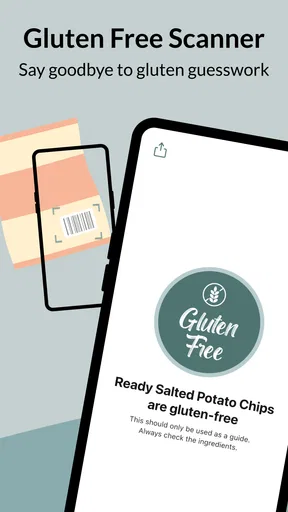
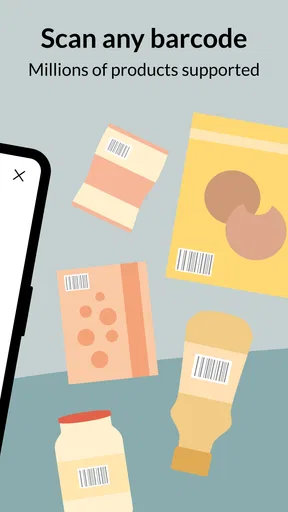
First things first, the main feature of the Gluten Free Scanner is, you guessed it, the scanner. The app allows you to scan product barcodes to quickly determine if they're gluten-free. This feature is a game-changer for those of us who spend way too long scrutinizing ingredient lists in the supermarket aisles. I found the scanner to be surprisingly fast and accurate, which is a huge relief for my impatient self.
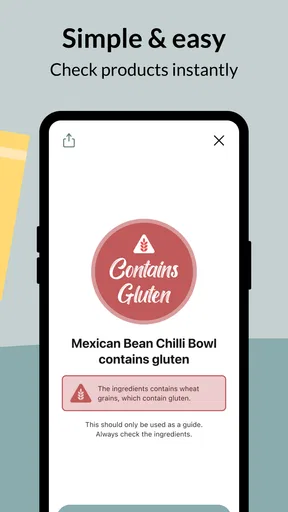
Using the scanner is straightforward. Just point your phone camera at the barcode, and voila, the app does its magic. The product information pops up almost instantly, providing a clear indication if the item is safe to consume. This feature alone makes the app worth downloading, especially if you're new to the gluten-free lifestyle.
Extensive Product Database
Another impressive aspect of the app is its extensive database. With thousands of products listed, the app covers a wide range of items, from snacks to household staples. The developers have done a stellar job of continually updating the database, ensuring that you have access to the most current product information.
While I did encounter a few products that weren't in the database, the app allows users to contribute by adding new products. This community-driven approach not only expands the database but also fosters a collaborative environment among users.
One useful way to make this work in practice is to treat an unknown barcode as a prompt to compare options, not as a verdict on the item. I can scan a similar product from another brand, then read both packages and choose based on the actual ingredient information. That is a better fallback than abandoning the whole category or assuming an unlisted product is unsafe.
Additional Features
Beyond the scanning feature, the app offers additional tools to enhance your gluten-free shopping experience. There's a handy search function that lets you look up products by name, even if you don't have the barcode handy. Perfect for those times when you're planning a shopping list in advance.
Another feature I found useful is the ability to save products to your favorites. This makes it super easy to track down your go-to gluten-free goodies on your next grocery run. Plus, the app provides detailed product information, including ingredients and nutritional facts, giving you all the data you need to make informed choices.
I’d use favorites as a personal shortlist rather than a permanent guarantee. Before heading out, they can remind me which products have worked for my household; in the aisle, I can confirm the package still matches. This is especially handy when someone else is doing the shopping: a saved item gives them a starting point, while the package check helps avoid picking up a different size or variant by mistake.
The name search is also useful when a barcode is awkward to scan or not visible in a product photo. I can look up an item before leaving home, then use the result to guide what I check in person. It doesn’t replace checking the exact product, but it can make a shopping list more deliberate and reduce last-minute browsing.
User Experience and Interface
The app's interface is clean and intuitive, making it user-friendly even for those who aren't tech-savvy. Navigation is smooth, and I didn't encounter any glitches during my testing. The design is simple yet effective, focusing on functionality over flashy graphics, which I appreciate.
For the scan itself, steady lighting and a clear view of the barcode are practical basics. If glare, a curved package, or cramped shelf space makes the code hard to read, turning the packet or moving it slightly is often easier than repeatedly aiming at the same spot. I’d also keep the package nearby after scanning so I can compare its exact name and ingredients with the product information shown.
Gluten Free Scanner is a free food-and-drink app from Food Barcode Scanner Ltd, with a 4.7 average from around five thousand ratings and more than one hundred thousand installs. It is rated for Everyone, and version 3.1.0 requires Android 7.0 or later. Those details make it accessible to many Android users, while optional in-app purchases range from $1.99 to $19.99 per item. I’d start with the free experience and decide whether any paid option is worthwhile based on how often I shop with it.
Compared with the usual alternatives—reading every label from scratch, searching the web for a product, or relying on memory—the scanner is most convenient when I’m standing in a store with a packaged item in hand. Label reading remains the strongest direct check, while a web search can help with advance research but may be harder to match to the precise variant. The app fits between those approaches: quick identification first, careful confirmation when the decision calls for it.
Ads, cost, and the right fit
One minor gripe would be the occasional ad pop-ups, but they're not overly intrusive. For a free app, it's a small price to pay, and there is an option to upgrade to a premium version if you'd prefer an ad-free experience.
That trade-off is easier to accept if I use the app for occasional supermarket checks. If ads interrupt a rushed shop or I scan products frequently, I’d weigh the convenience of a paid option against how much I actually use it. The app makes the most sense for people who regularly buy packaged groceries and want a faster way to investigate them; it is less compelling for someone who rarely shops for packaged food or is comfortable checking every label without assistance.
It is also not the right tool for deciding whether an unlabelled meal is safe, or for resolving questions about food preparation and cross-contact. In those situations, asking the restaurant or food maker is more useful than scanning a barcode. I’d keep the app as a shopping aid, not as a replacement for direct answers or personal medical advice.
A practical companion for grocery decisions
All in all, the Gluten Free Scanner is a fantastic tool for anyone managing a gluten-free diet. It takes the guesswork out of shopping and provides peace of mind, knowing you're making safe choices. Whether you're newly diagnosed with a gluten intolerance or a seasoned pro, this app is a valuable addition to your toolkit.
With its user-friendly design, extensive product database, and reliable scanning feature, it has quickly become a staple on my phone. So, if you're looking to simplify your gluten-free lifestyle, give the Gluten Free Scanner a try. You might just find it makes your life a whole lot easier.
Pros
- Accurate barcode scanning for quick results.
- Extensive database of gluten-free products.
- User-friendly interface for easy navigation.
- Regular updates with new product information.
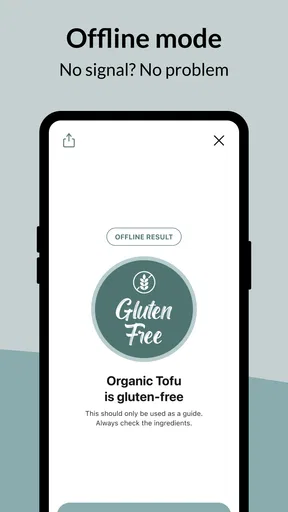
- Offline mode available for convenience.
Cons
- Limited to gluten-free information only.
- Requires camera access for barcode scanning.
- Some products may not be in the database.
- Advertisements present in the free version.
- Limited features without premium upgrade.
FAQs for Gluten Free Scanner
What is the Gluten Free Scanner app?
The Gluten Free Scanner app is designed to help users quickly determine if a food product is gluten-free. By scanning barcodes, the app provides detailed information about ingredients, making it an essential tool for those with gluten sensitivities or celiac disease. It aims to simplify shopping and dining decisions for gluten-conscious consumers.
How accurate is the Gluten Free Scanner?
The accuracy of the Gluten Free Scanner depends on its database, which is frequently updated with product information. While it strives for precision, users should still verify ingredients manually, especially for newly released products. The app is a helpful guide, but personal vigilance remains crucial for those with severe allergies.
Does the Gluten Free Scanner work offline?
The Gluten Free Scanner requires an internet connection to access its database and provide real-time product information. However, once data is retrieved, some basic information may be available offline. For the most reliable results, ensure you have a stable internet connection when scanning products.
Are there any costs associated with using the Gluten Free Scanner?
The Gluten Free Scanner may offer a free version with basic features, but it often includes ads. For an ad-free experience and additional features, such as expanded databases or priority support, users might need to purchase a premium version. Checking the app store listing will provide details on current pricing and features.
Can the Gluten Free Scanner be used internationally?
The Gluten Free Scanner can be used internationally, but its effectiveness varies by region. The database primarily covers products available in the app's primary market, so international users may encounter limited information. Always cross-check local products manually to ensure they meet gluten-free standards.


